
Project & Workforce Management System
A centralized application designed to manage projects, coordinate teams, track working hours, streamline timesheet approvals and monitor employee performance.
Manage Projects. Coordinate Teams. Track Performance.
A project and workforce management application developed by XS Infinity for a client. The system brings project planning, sub-project management, employee assignments, task tracking, timesheets, approval workflows and employee KPI monitoring together in one organized platform.
Connected Tools for Project & Workforce Management
Integrated modules designed to organize project activities, coordinate employees and provide visibility into workforce operations.
Project Management
Organize parent projects and sub-projects, manage project information and monitor overall project progress.
Task Management
Create and assign tasks to employees, track task progress and manage day-to-day project activities.
Employee Management
Maintain employee records, manage workforce information and organize employee assignments.
Timesheet Management
Allow employees to record their working hours against assigned projects and submit weekly timesheets.
Timesheet Approval
Review individual timesheet entries and approve or reject submitted working hours through a structured review process.
Performance Management
Monitor employee performance through KPI measurements and structured performance information.
KPI Management
Track employee KPIs and compare performance progress across reporting periods.
Reports & Analytics
View project, timesheet and employee performance information through available reports and export supported data.
User & Access Management
Manage Administrator, Team Lead and Employee access based on their responsibilities.
Master Data Management
Maintain application reference data, project classifications, holiday calendars and organizational information.
Bringing Project & Workforce Operations Together
Connect project activities, employee responsibilities and working-hour records through organized workflows and centralized information.
Centralized Project Information
Manage parent projects, sub-projects, employee assignments and project progress from one application.
Clear Work Allocation
Assign tasks to employees and monitor their progress, responsibilities and project contributions.
Structured Timesheet Reviews
Organize weekly timesheet submissions and allow team leads to review, approve or reject individual entries.
Performance Visibility
Monitor employee KPI progress and compare performance indicators across reporting periods.
Explore the Application Interface
Take a closer look at the application screens covering project summaries, project details, timesheet reviews and employee performance tracking.
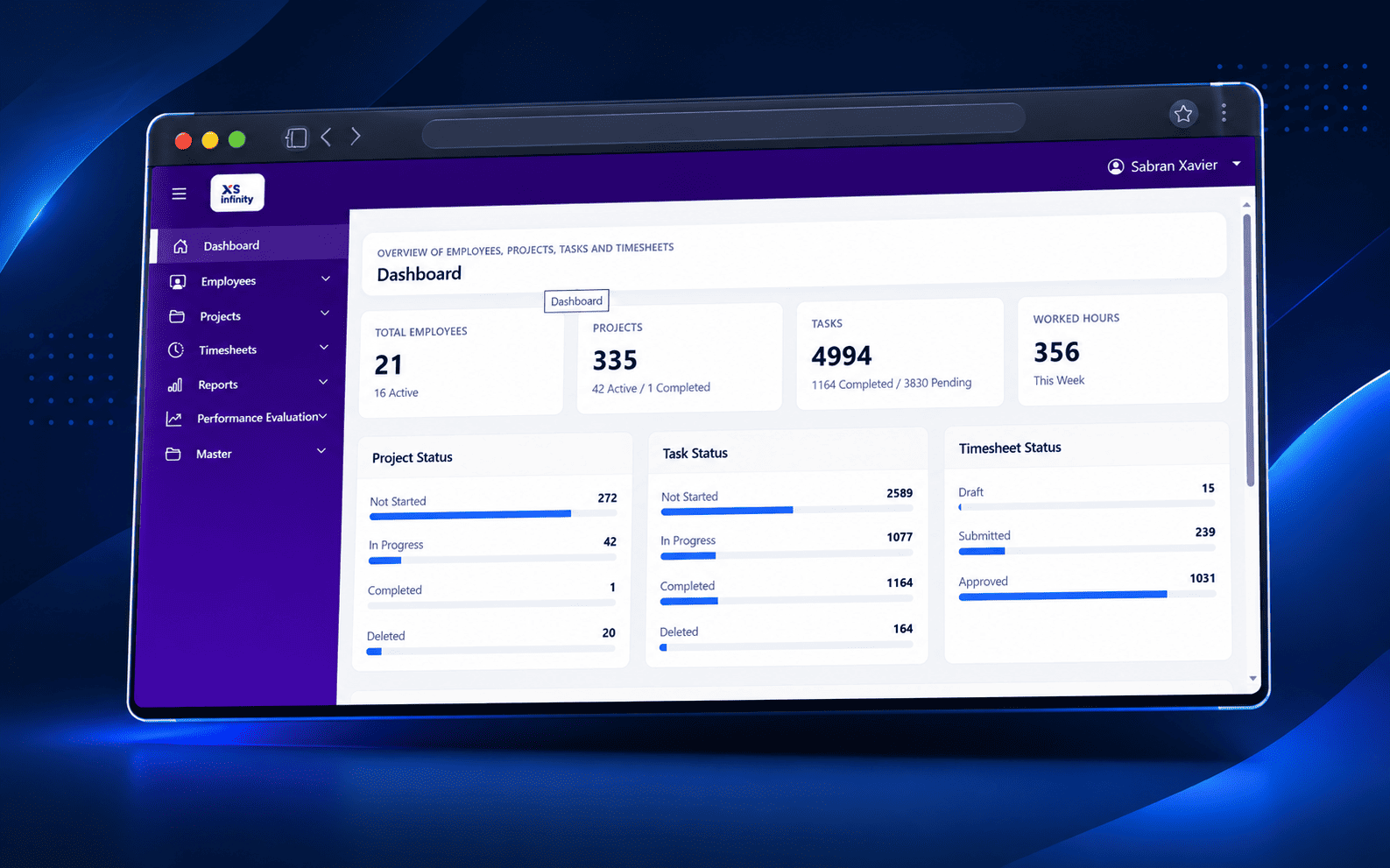
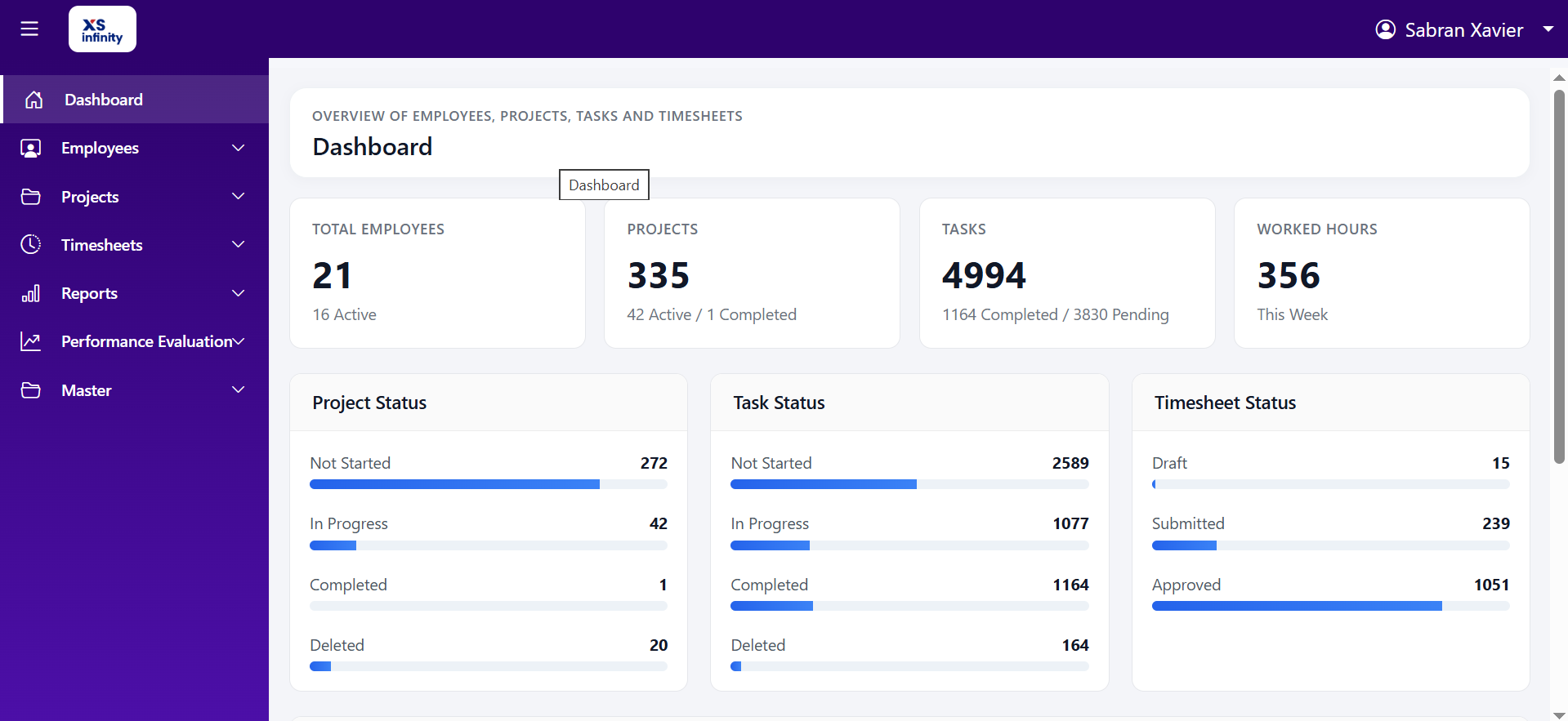
Project & Workforce Dashboard
A centralized dashboard displaying summary cards, project status progress, task status distribution and timesheet status information.
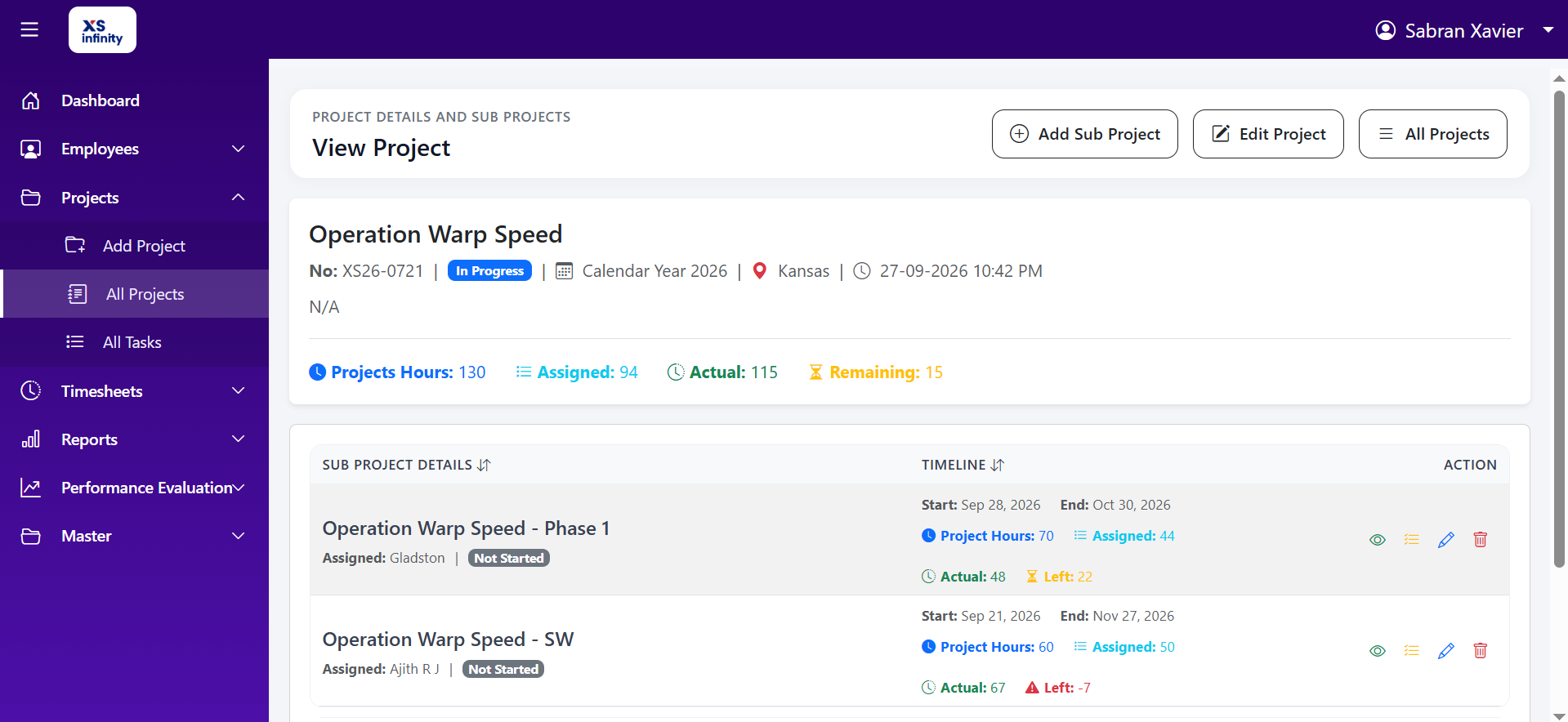
Project Details & Management
A detailed project view displaying parent project information, its sub-projects, assigned employees, total project hours and worked hours.
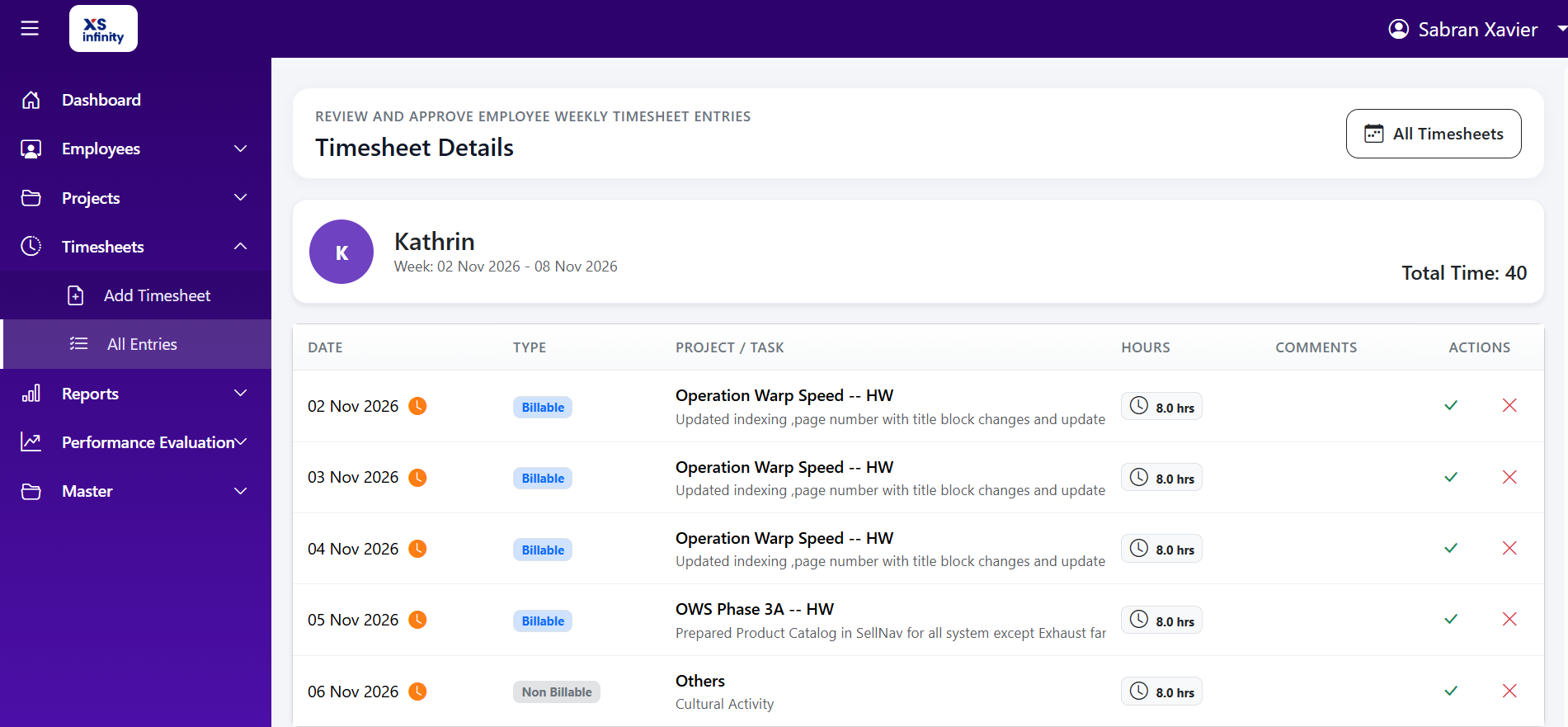
Employee Timesheet Approval
A weekly employee timesheet detail screen showing individual timesheet entries and actions for team leads to approve or reject each entry.
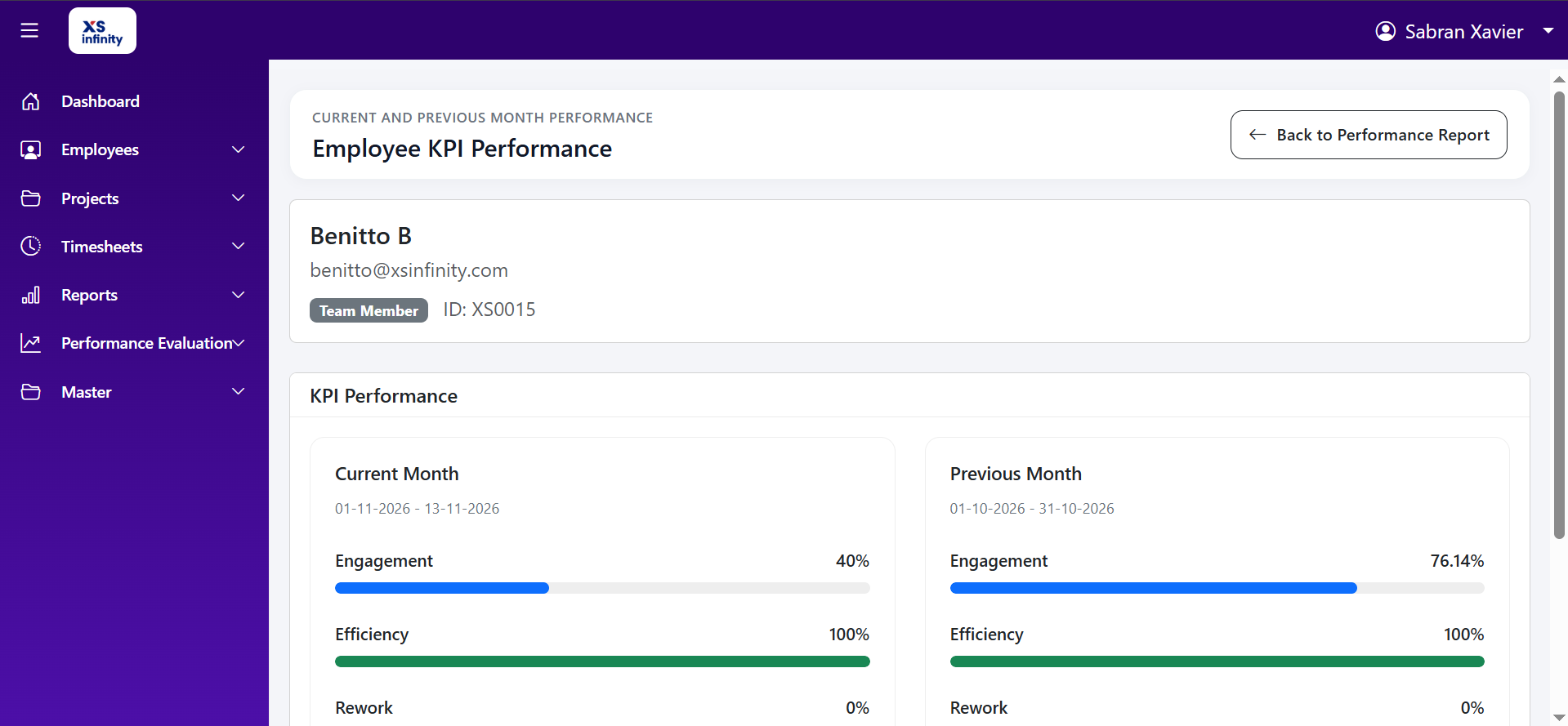
Employee Performance & KPI Tracking
An employee performance screen comparing current-month and previous-month progress through line charts for engagement, efficiency and rework indicators.
Access Designed Around Team Responsibilities
Role-based access organizes application functionality according to the responsibilities of administrators, team leads and employees.
Administrator
Manages application configuration, project structures, master data and user access.
- Master Data & Configuration
- Project Structure Management
- User & Role Management
Team Lead
Coordinates project activities, assigns tasks, reviews timesheets and monitors employee performance.
- Task Assignment & Progress Tracking
- Timesheet Review & Approval
- Team Performance Monitoring
Employee
Accesses assigned projects and tasks, records weekly working hours and views personal KPI information.
- Assigned Project & Task Access
- Weekly Timesheet Submission
- Personal KPI Visibility
Connected Workflows. Better Project Visibility.
The application connects project planning, employee activities, timesheet reviews and performance monitoring through structured workflows.
Create Projects
Organize parent projects and sub-projects with the information required to manage project activities.
Assign Tasks
Assign employees to projects and distribute tasks based on project requirements.
Track Activities
Monitor task progress and record working hours against relevant project activities.
Submit Timesheets
Employees record and submit their weekly working hours for review.
Review & Approve
Team leads review individual timesheet entries and approve or reject submitted records.
Monitor Performance
Review employee KPI information and compare performance indicators across monthly reporting periods.
Built With Modern Web Technologies
Engineered on modern web frameworks for stability, speed and clean code maintainability.

Let's Build Something Meaningful Together.
Have a business idea or a business challenge to solve? Let's discuss how the right digital solutions can simplify your work, support your goals and help your business grow.