
PDF Watermark Utility
A Windows desktop application that simplifies PDF watermarking through manual processing and automatic folder-based workflows.
Consistent Document Branding. Simplified PDF Processing.
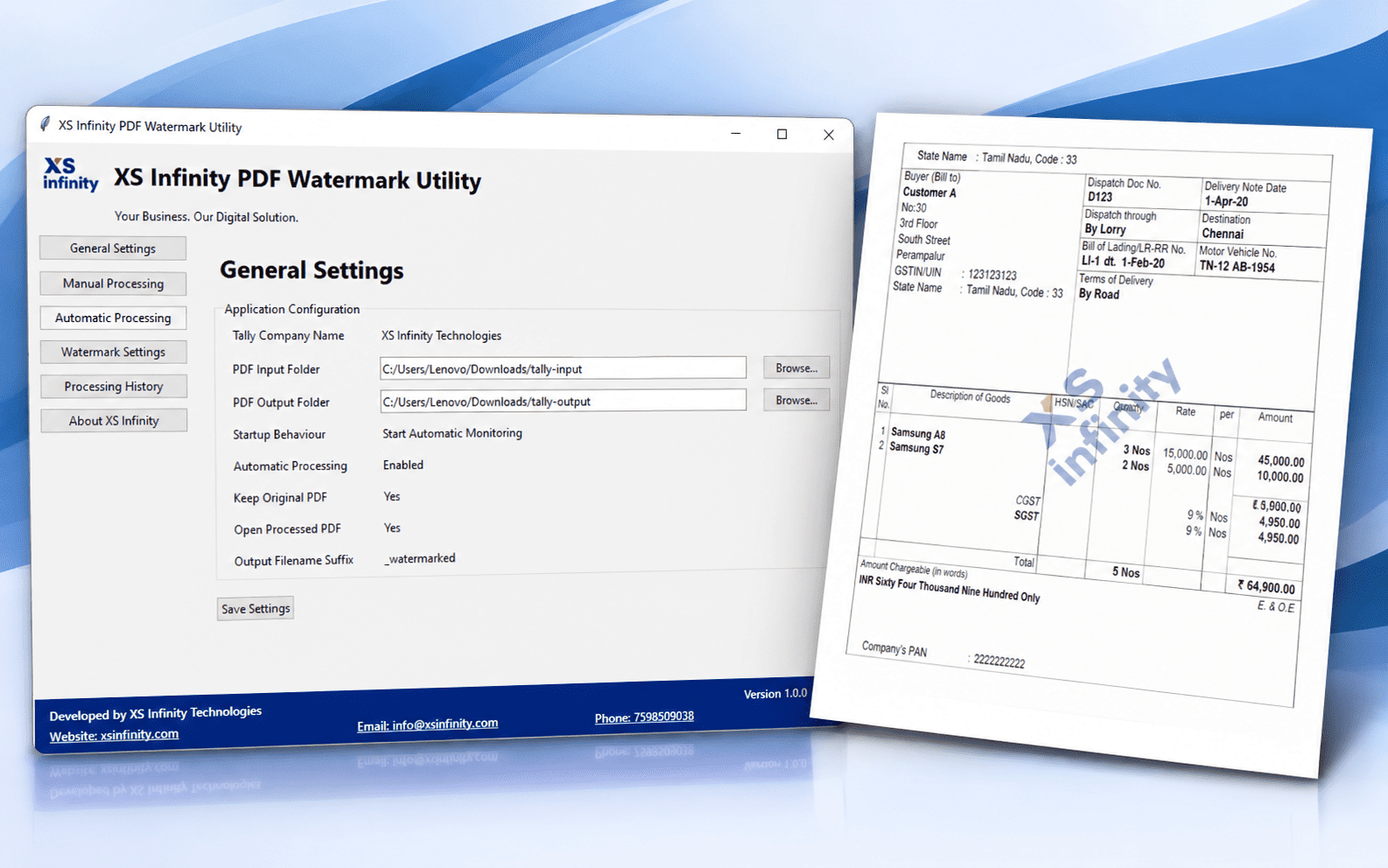
The PDF Watermark Utility is a dedicated Windows desktop application developed to automate the addition of a consistent brand watermark to business PDF documents. It supports manual file selection and automatic processing of PDFs placed in a configured input folder. The application applies the bundled watermark image across document pages and saves the processed files separately, keeping the original PDFs untouched.
Designed for everyday office workflows, it helps simplify document branding for PDFs exported from TallyPrime and other business applications.
Practical Tools for Automated PDF Watermarking
Features designed to simplify document branding, process multiple PDF files and organize processed outputs.
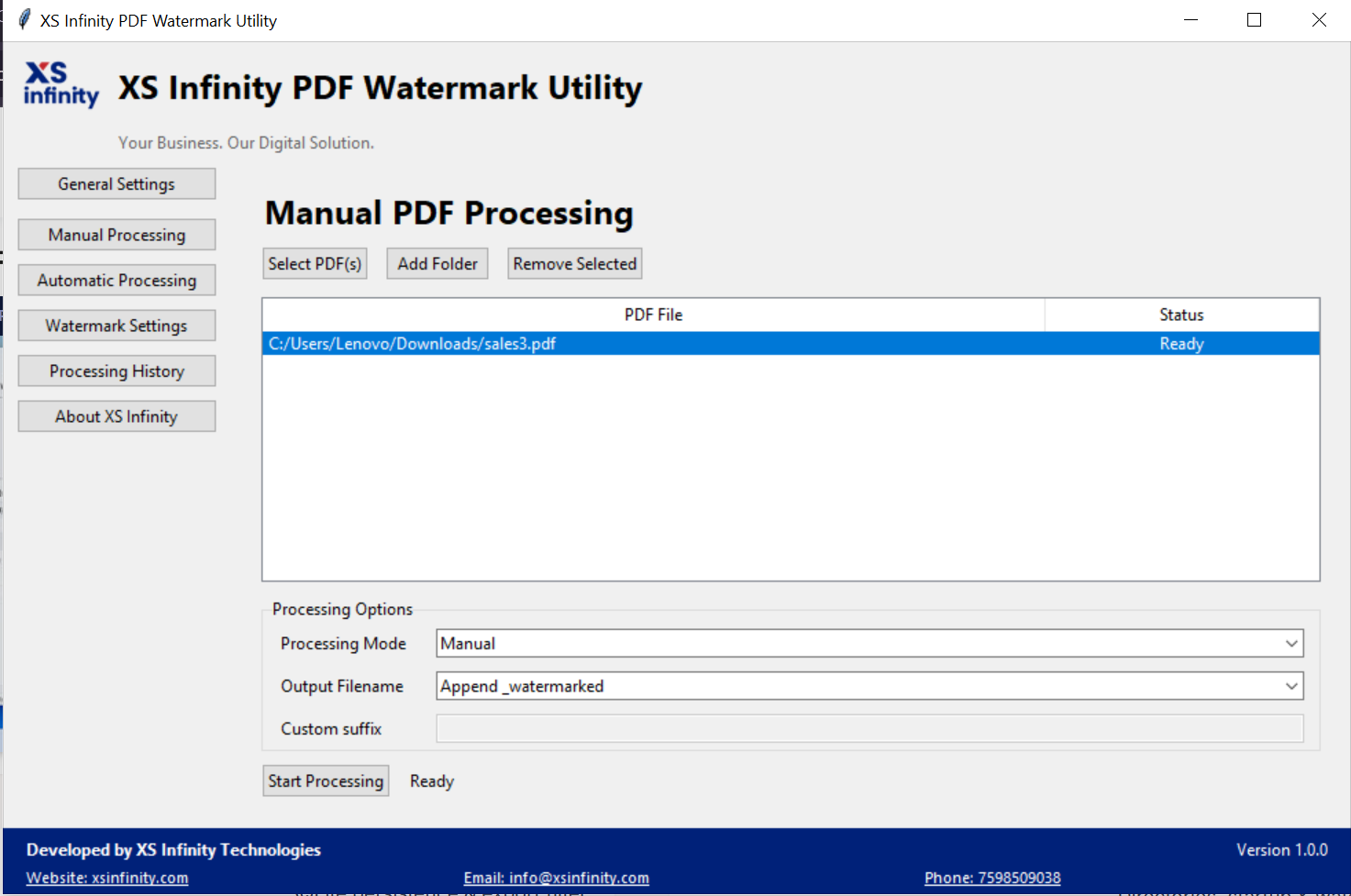
Manual PDF Processing
Select individual PDF files or folders and process multiple documents through the application interface.
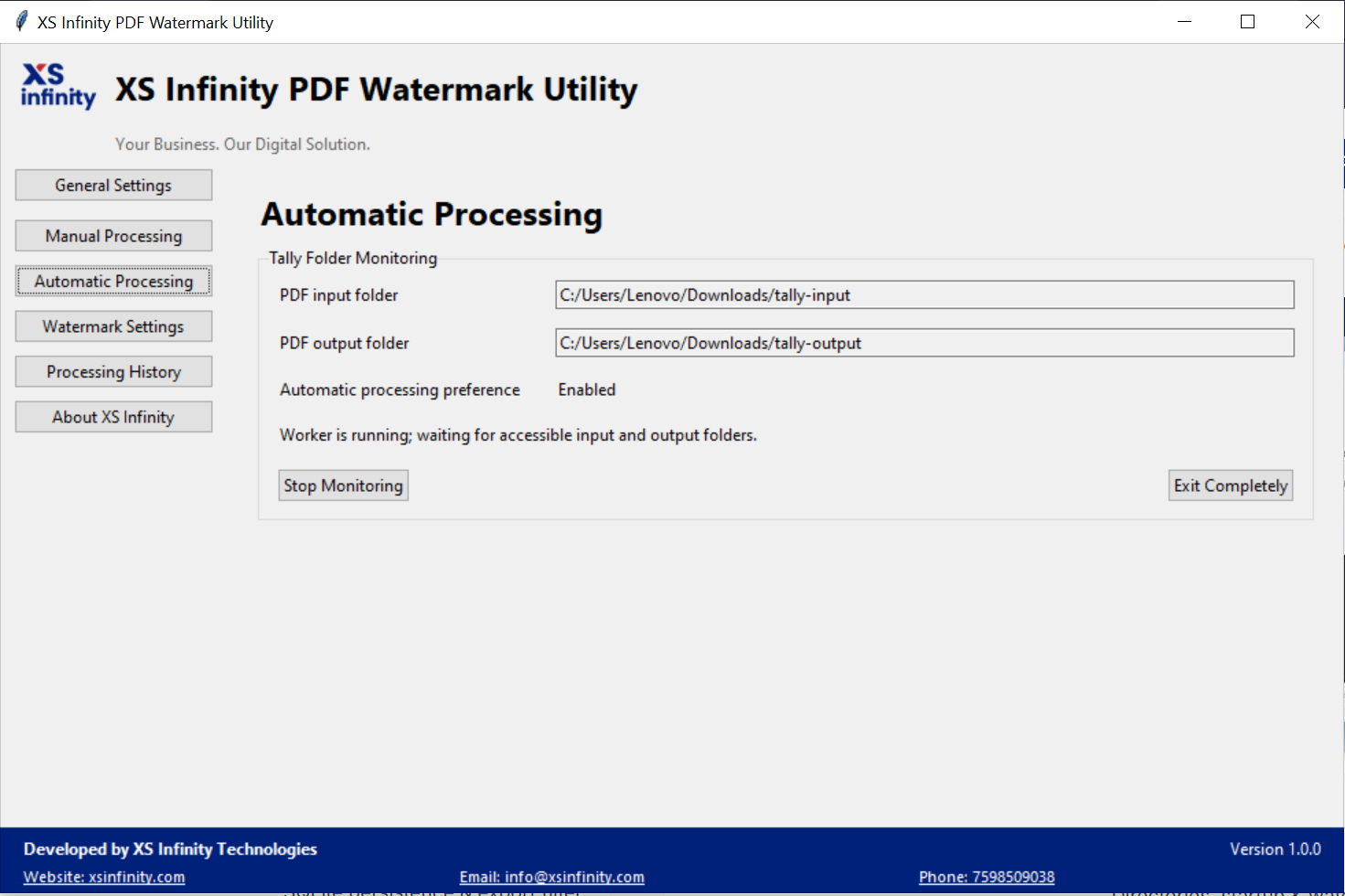
Automatic Folder Monitoring
Monitor a configured input folder and automatically process new PDF files detected in that location.
Consistent Brand Watermark
Apply the bundled watermark image across the pages of supported PDF documents.
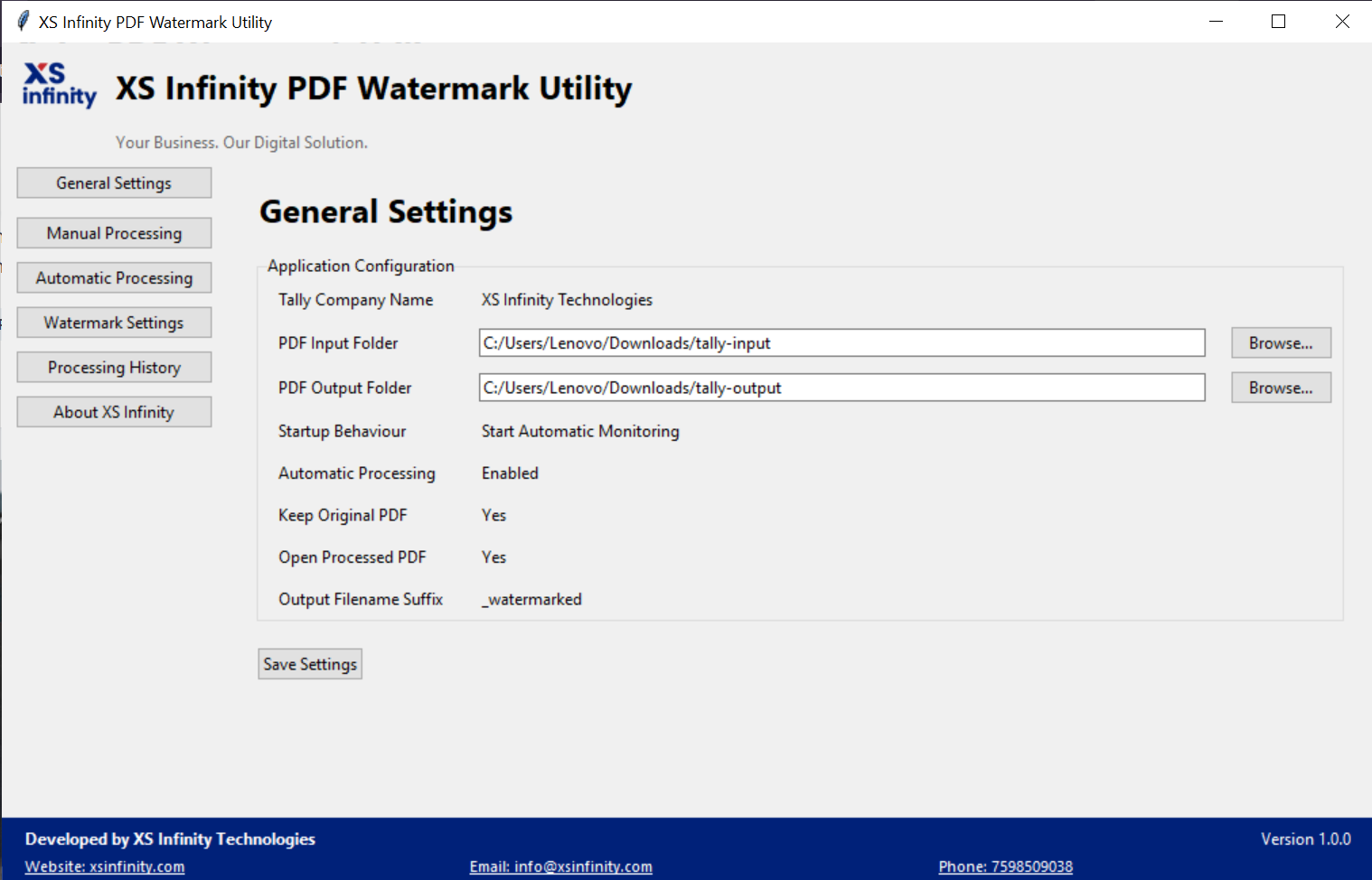
Configurable Directories
Set separate input and output folder locations to organize original and processed documents.
Background Processing
Allow configured folder monitoring to continue in the background without keeping the main application window open.
Windows Startup Support
Configure the application to launch automatically when Windows starts.
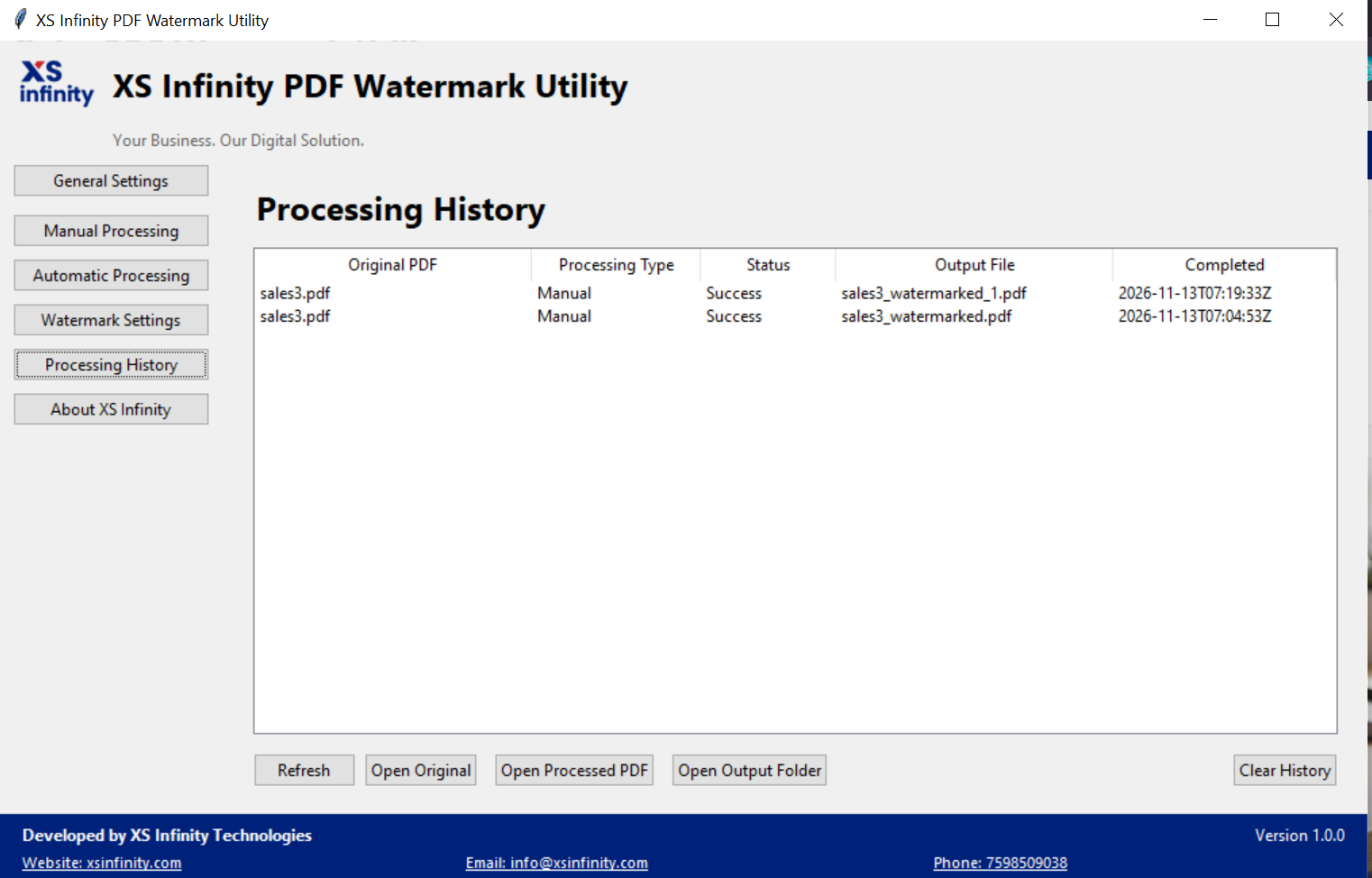
Processing History
Maintain local SQLite records of processed files, precise timestamps, page counts and completion status.
Safe Output Management
Save watermarked documents separately from the original files and handle output filenames to avoid unintended overwrites.
Simplify PDF Branding in Everyday Workflows
Reduce repetitive document processing and maintain consistent branding through a simple desktop utility.
Consistent Document Branding
Apply the same bundled watermark image across processed PDF documents to maintain a consistent branded appearance.
Reduced Manual Effort
Process individual files or multiple PDFs without repeatedly applying watermarks through manual editing.
Convenient Folder Automation
Place exported PDFs in the configured input folder and let the application process detected files automatically.
Organized Processing Records
Refer to locally stored processing history to review file names, timestamps, page counts and completion status.
A Simple PDF Watermarking Workflow
Process documents manually or through an automated folder-based workflow with separate output files.
Select or Receive PDF
Select PDF files through the application or place exported documents in the configured input folder.
Apply Brand Watermark
The application processes the PDF and applies the bundled brand watermark image across its pages.
Save Processed PDF
The watermarked document is saved to the configured output folder while the original PDF remains unchanged.
Explore the Desktop Application
Take a closer look at the application's main features for manual processing, automatic folder monitoring, processing history and configuration.
Manual PDF Processing
Automatic Folder Monitoring
Processing History & Records
Application Settings
Built with Practical Desktop Technologies
Developed using desktop application technologies and PDF processing tools selected to support document handling, background workflows and local processing records.

Let's Build Something Meaningful Together.
Have a business idea or a business challenge to solve? Let's discuss how the right digital solutions can simplify your work, support your goals and help your business grow.